
在ES7.0之后,types_name只可以写_doc
方式一:RestFul访问 #
在浏览器或PostMan中进行访问,注意选择请求的methods
在地址后添加?pretty可以美化返回的json
根据id查询一条数据 #
- methods:Get
- 语法:
http://ip:port/index_name/types_name/id - 例子:
http://192.168.2.101:9200/student/_doc/1
查询index中所有数据 #
- methods:Get
- 语法:
http://ip:port/index_name/_search - 例子:
http://192.168.2.101:9200/student/_search
插入一条数据 #
-
methods:PUT
-
语法
-
http://ip:port/index_name/types_name/id
{
	"key":"value"
}
-
-
例子
-
PUT   http://192.168.2.101:9200/student/_doc/2
{
	"name":"lucy",
	"age":18
}
-
根据id删除一条数据 #
- methods:Delete
- 语法:
http://ip:port/index_name/types_name/id - 例子:
http://192.168.2.101:9200/student/_doc/1
根据id修改一条数据 #
-
methods:POST
-
语法
-
http://ip:port/index_name/types_name/id
{
	"key":"value"
}
-
-
例子
-
PUT   http://192.168.2.101:9200/student/_doc/2
{
	"name":"tom",
	"age":28
}
-
方式二:Curl使用 #
在Linux下直接使用命令进行CRUD
新建索引库 #
- 语法:
curl -XPUT 'http://localhost:9200/index_name' - 例子:
curl -XPUT 'http://localhost:9200/company'
根据id查询一条数据 #
- 语法:
curl -XGET http://localhost:9200/index_name/types_name/id?pretty - 例子:
curl -XGET http://localhost:9200/company/employee/3?pretty
插入一条数据 #
语法:curl -XPUT http://localhost:9200/index_name/types_name/id -d '{"key":“value"}'
例子:curl -XPUT http://localhost:9200/company/employee/1 -d '{"name":“lucy","age":18}'
根据id修改一条数据 #
语法:curl -XPOST http://localhost:9200/index_name/types_name/id -d '{"key":“value"}
例子:curl -XPOST http://localhost:9200/company/employee/1 -d '{"name":“lucy","age":18}'
根据id删除一条数据 #
语法:curl -XDELETE http://localhost:9200/index_name/types_name/id
例子:curl -XDELETE http://localhost:9200/company/employee/1
方式三:使用Kibana(常用) #
准备工作 #
开启监控 #
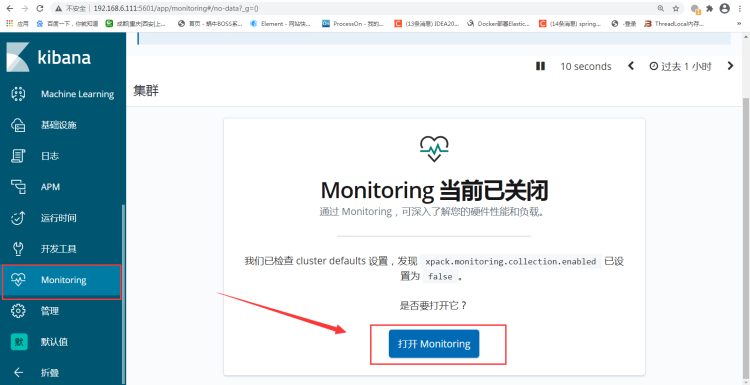
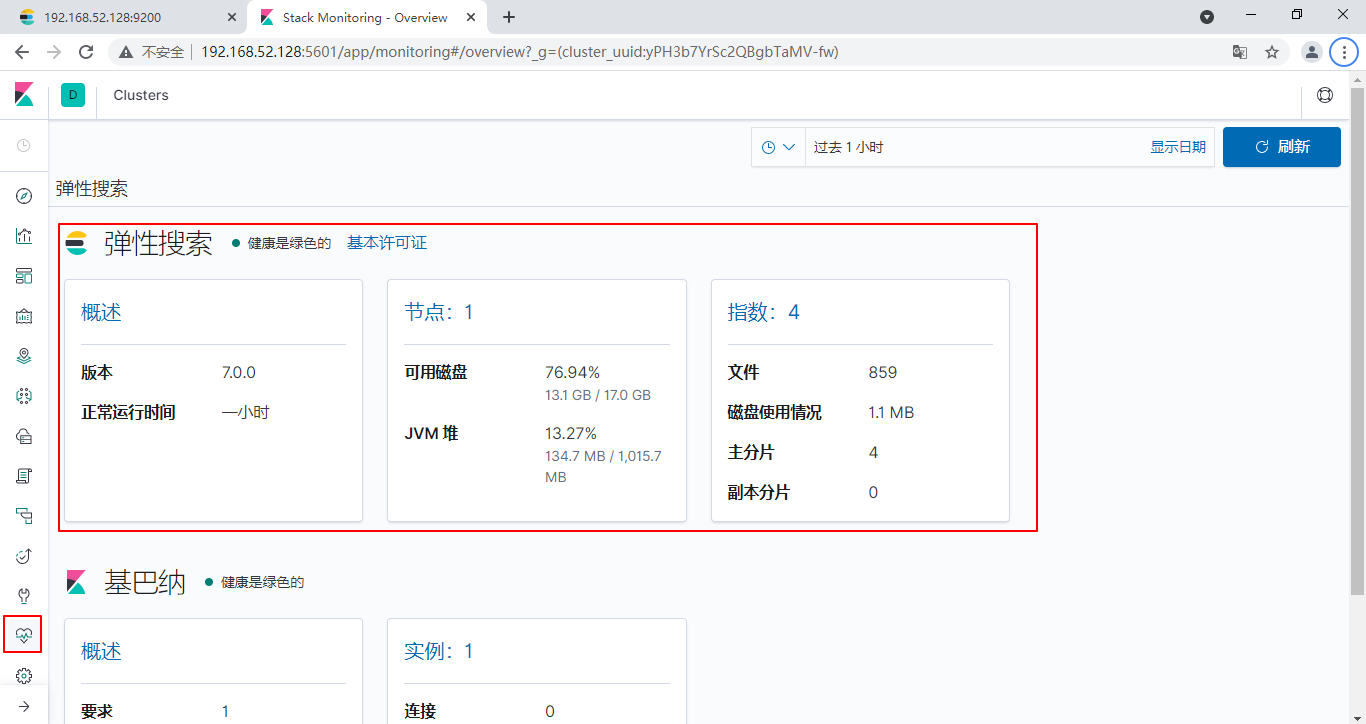
进入工作台 #
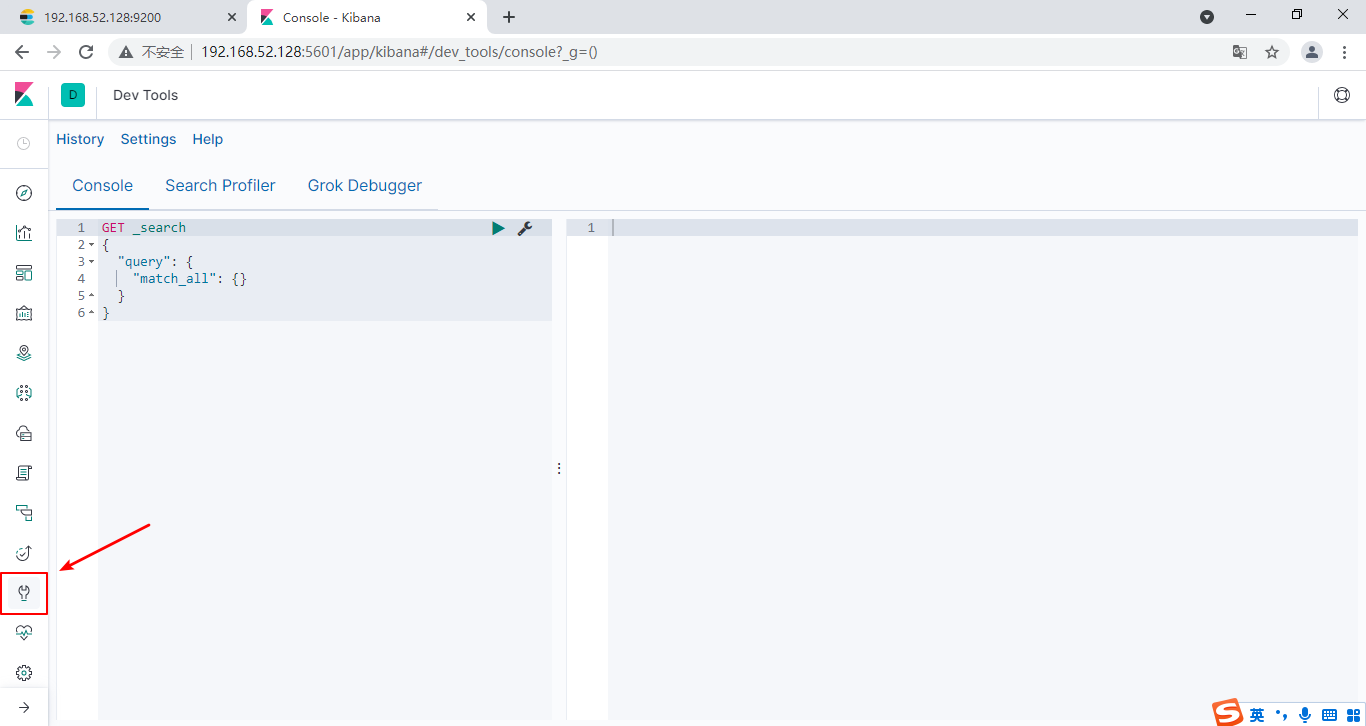
关于ES状态的查询 #
#查看所有节点
GET /_cat/nodes
#查看es健康状况
GET /_cat/health
#查看主节点
GET /_cat/master
#查看所有索引
GET /_cat/indices
关于索引的操作 #
创建索引 #
PUT index_name

# 创建索引时设置字典属性(类型、分词器等)
PUT index_name
{
  "mappings": {
    "properties": {
      "objId": {
        "type": "text"
      },
      "name":{
        "type": "text",
        "analyzer": "ik_smart",
        "search_analyzer": "ik_smart"
      }
    }
  }
}
查看索引的设置详情 #
GET index_name/_settings
删除索引 #
DELETE index_name
搜索索引 #
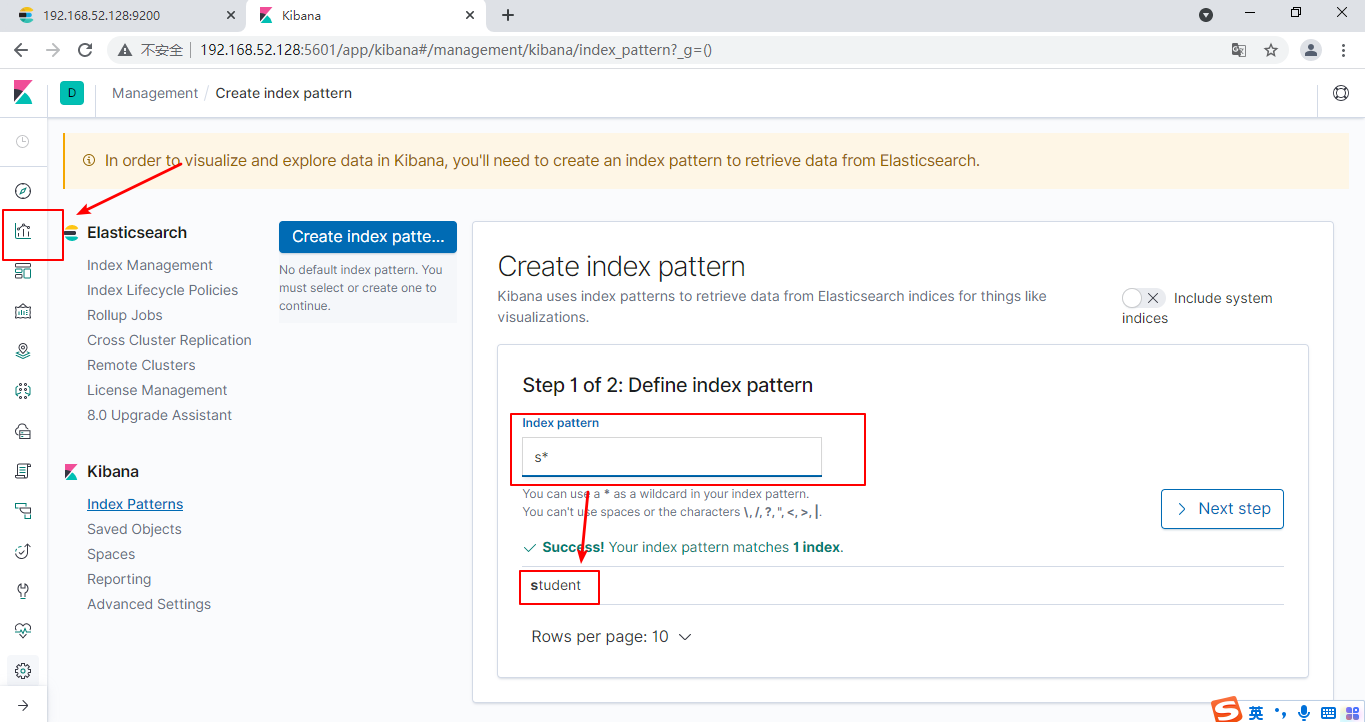
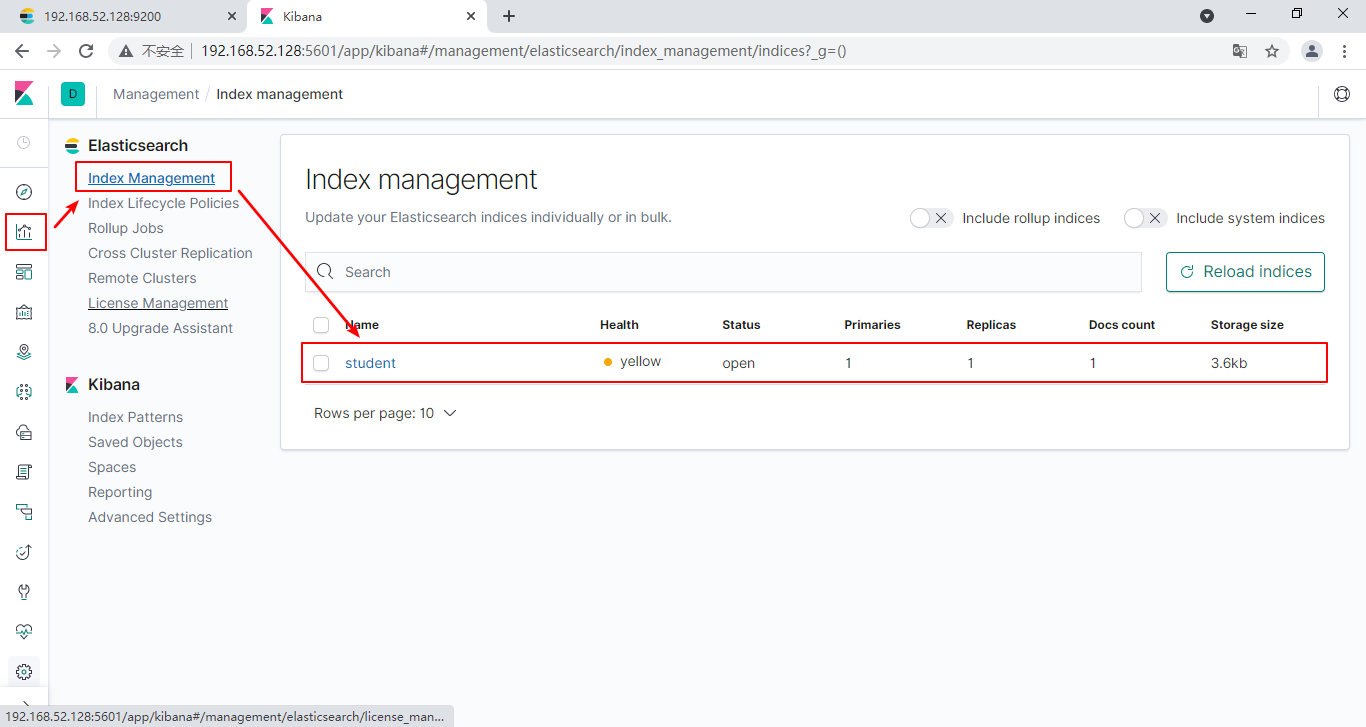
管理索引 #
关于数据的CRUD #
查询index中,所有的数据 #
GET /index_name/_search
根据id查询一条数据 #
GET /index_name/types_name/id
新增一条数据 #
POST /index_name/types_name/id
{
	"key":"value"
}
修改一条数据 #
如果不在后面添加_update的话,那么会先删除原来的数据,然后添加新的数据
POST /index_name/types_name/id/_update
{
	"key":"value"
}
删除一条数据 #
DELETE /index_name/types_name/id
条件查询 #
按照某一key对应的值排序查询 #
GET /index_name/_search
{
	"query":{
		"match_all":{

		}
    },
    "sort":{
        "key":{
        "order":"desc[降序]|asc[升序]"
        }
    }
}
按照条件精准查询 #
GET /index_name/_search
{
	"query":{
		"match_phrase":{
			"key":"value"
		}
	}
}
方式四:SpringBoot集成 #
准备工作 #
1、导入依赖 #
注意springboot版本,过高版本可能导致冲突
<properties>
    <elasticsearch.version>7.6.0</elasticsearch.version>
</properties>
<dependency>
    <groupId>org.springframework.boot</groupId>
    <artifactId>spring-boot-starter-data-elasticsearch</artifactId>
</dependency>
2、编写配置文件application.yml #
spring:
  #配置elasticsearch
  elasticsearch:
    rest:
      uris: http://192.168.52.128:9200
使用 #
1、声明需要用于映射elsticsearch库的Bean #
@Data
//@Document用于声明Bean对应的index库名
@Document(indexName = "userinfo")
public class UserInfo implements Serializable {
    //@Id指定该属性对应ES中的Id
    @Id
    private Integer userId;
    //@Field指定该属性对应ES中的字段,字段名就是属性名,类型是Keyword
    @Field(type = FieldType.Keyword)
    private String userName;
    @Field(type = FieldType.Integer)
    private Integer userAge;
    //属性analyzer指定了此属性使用哪种分词器
    @Field(type = FieldType.Text,analyzer = "ik_max_word")
    private String userMsg;
}
2、编写该实体类对应的dao接口 #
//需要交给spring容器管理
@Component
public interface UserInfoDao extends ElasticsearchRepository<UserInfo,Long> {
	/* 自定义方法
	 * 会根据方法名进行查询
	 * 如果在方法名中声明了多个字段,那么需要将这些字段都列为属性
	 */
    List<UserInfo> findByUserNameOrUserAgeOrUserMsg(String userName,Integer userAge,String userMsg);
}
3、编写service接口 #
public interface UserInfoService {

    boolean insert(UserInfo userInfo);

    List<UserInfo> findAllUserInfo();

    UserInfo findById(Integer i);

    List<UserInfo> findByUserNameOrUserAgeOrUserMsg(String userName,Integer userAge,String userMsg);
}
4、编写service实现类 #
@Service
public class UserInfoServiceImpl implements UserInfoService{
    @Resource
    private UserInfoDao userInfoDao;
    @Override
    public boolean insert(UserInfo userInfo) {
        UserInfo save = userInfoDao.save(userInfo);
        return save != null;
    }

    @Override
    public List<UserInfo> findAllUserInfo() {
        Iterable<UserInfo> all = userInfoDao.findAll();
        List<UserInfo> userInfos = new ArrayList<>();
        for (UserInfo userInfo : all) {
            userInfos.add(userInfo);
        }
        return userInfos;
    }

    @Override
    public UserInfo findById(Integer i) {
        Optional<UserInfo> byId = userInfoDao.findById(i.longValue());
        UserInfo userInfo = byId.get();
        return userInfo;
    }

    @Override
    public List<UserInfo> findByUserNameOrUserAgeOrUserMsg(String userName,Integer userAge,String userMsg) {
        return userInfoDao.findByUserNameOrUserAgeOrUserMsg(userName,userAge,userMsg);
    }
}
5、进行测试 #
@SpringBootTest
public class MyTest {
    @Resource
    private UserInfoService userInfoService;

    //插入一条信息
    @Test
    public void test1(){
        UserInfo userInfo = new UserInfo();
        userInfo.setUserId(3);
        userInfo.setUserAge(18);
        userInfo.setUserName("tom");
        userInfo.setUserMsg("这是一为名叫tom的老师");
        boolean b = userInfoService.insert(userInfo);
    }
    //查询所有
    @Test
    public void test2(){
        List<UserInfo> list = userInfoService.findAllUserInfo();
        System.out.println(list);
    }
    //根据id查询
    @Test
    public void test3(){
        UserInfo userInfo = userInfoService.findById(1);
        System.out.println(userInfo);
    }
    //根据名字或年龄或信息查询
    @Test
    public void test4(){
        String msg = "学生";
        List<UserInfo> list = userInfoService.findByUserNameOrUserAgeOrUserMsg(msg,25,msg);
        System.out.println(list);
    }
}
自定义接口方法的规则 #
| 关键字 | 使用示例 | 等同于的ES查询 |
|---|---|---|
| And | findByNameAndPrice | {“bool” : {“must” : [ {“field” : {“name” : “?”}}, {“field” : {“price” : “?”}} ]}} |
| Or | findByNameOrPrice | {“bool” : {“should” : [ {“field” : {“name” : “?”}}, {“field” : {“price” : “?”}} ]}} |
| Is | findByName | {“bool” : {“must” : {“field” : {“name” : “?”}}}} |
| Not | findByNameNot | {“bool” : {“must_not” : {“field” : {“name” : “?”}}}} |
| Between | findByPriceBetween | {“bool” : {“must” : {“range” : {“price” : {“from” : ?,”to” : ?,”include_lower” : true,”include_upper” : true}}}}} |
| LessThanEqual | findByPriceLessThan | {“bool” : {“must” : {“range” : {“price” : {“from” : null,”to” : ?,”include_lower” : true,”include_upper” : true}}}}} |
| GreaterThanEqual | findByPriceGreaterThan | {“bool” : {“must” : {“range” : {“price” : {“from” : ?,”to” : null,”include_lower” : true,”include_upper” : true}}}}} |
| Before | findByPriceBefore | {“bool” : {“must” : {“range” : {“price” : {“from” : null,”to” : ?,”include_lower” : true,”include_upper” : true}}}}} |
| After | findByPriceAfter | {“bool” : {“must” : {“range” : {“price” : {“from” : ?,”to” : null,”include_lower” : true,”include_upper” : true}}}}} |
| Like | findByNameLike | {“bool” : {“must” : {“field” : {“name” : {“query” : “? *”,”analyze_wildcard” : true}}}}} |
| StartingWith | findByNameStartingWith | {“bool” : {“must” : {“field” : {“name” : {“query” : “? *”,”analyze_wildcard” : true}}}}} |
| EndingWith | findByNameEndingWith | {“bool” : {“must” : {“field” : {“name” : {“query” : “*?”,”analyze_wildcard” : true}}}}} |
| Contains/Containing | findByNameContaining | {“bool” : {“must” : {“field” : {“name” : {“query” : “?”,”analyze_wildcard” : true}}}}} |
| In | findByNameIn(Collectionnames) | {“bool” : {“must” : {“bool” : {“should” : [ {“field” : {“name” : “?”}}, {“field” : {“name” : “?”}} ]}}}} |
| NotIn | findByNameNotIn(Collectionnames) | {“bool” : {“must_not” : {“bool” : {“should” : {“field” : {“name” : “?”}}}}}} |
| True | findByAvailableTrue | {“bool” : {“must” : {“field” : {“available” : true}}}} |
| False | findByAvailableFalse | {“bool” : {“must” : {“field” : {“available” : false}}}} |
| OrderBy | findByAvailableTrueOrderByNameDesc | {“sort” : [{ “name” : {“order” : “desc”} }],”bool” : {“must” : {“field” : {“available” : true}}}} |